45Drives Knowledge Base
KB450401 - Creating Erasure Code Pool in PetaSAN
https://knowledgebase.45drives.com/kb/kb450401-creating-erasure-code-pool-in-petasan/

KB450401 - Creating Erasure Code Pool in PetaSAN

Posted on March 12, 2021 by Zachery Perry


Scope/Description

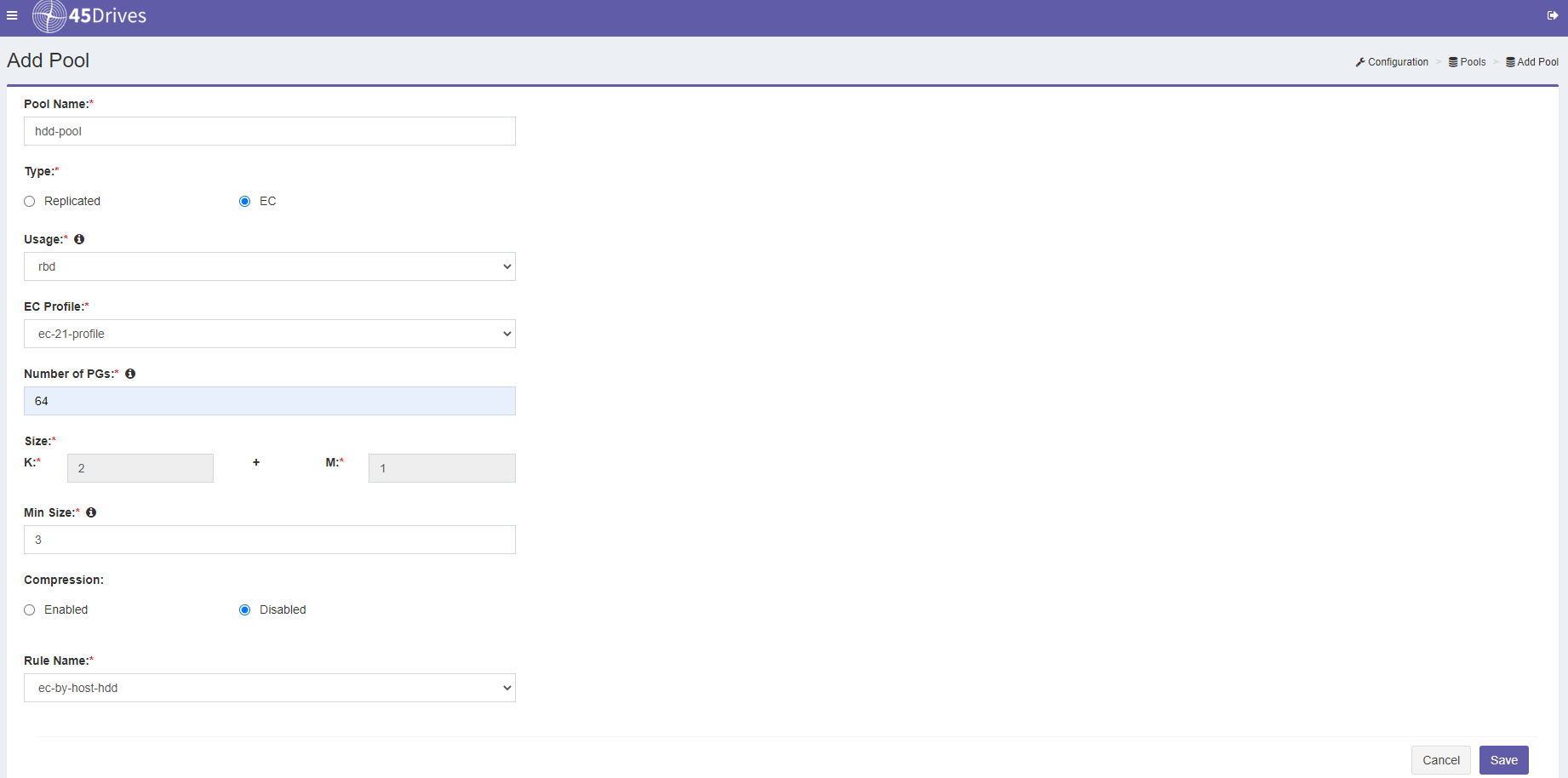
This article will walk through the process of creating an Erasure Code Pool in PetaSAN along with creating the rules you will need for your pool.
Prerequisites

  • A minimum of 3 nodes active and running

Steps

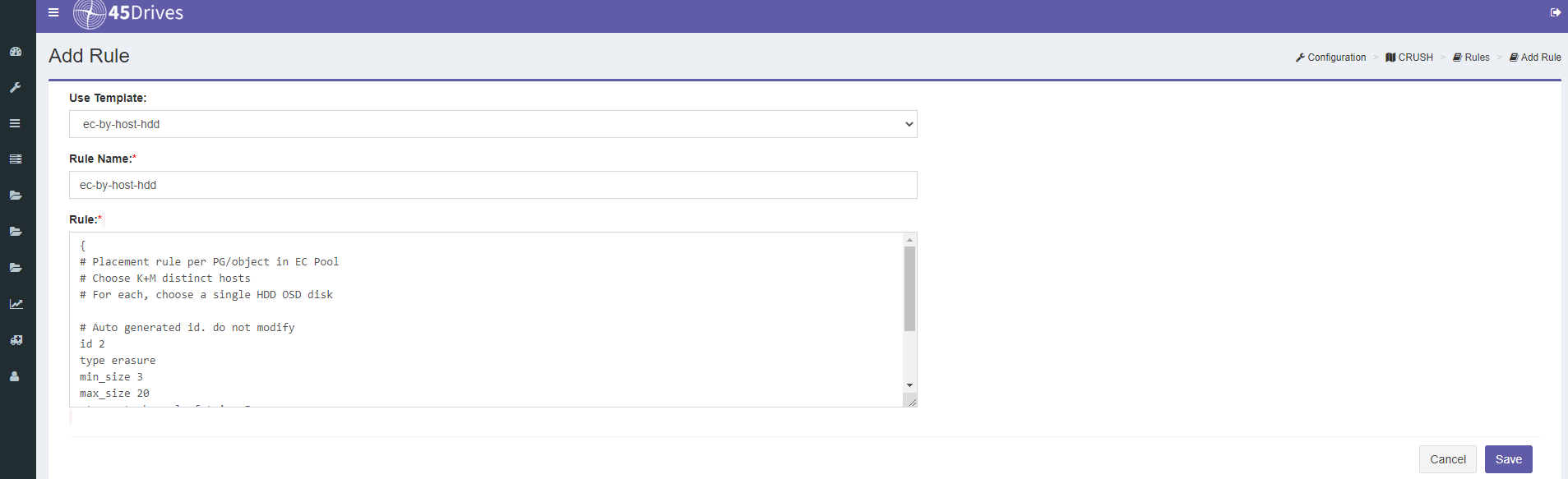
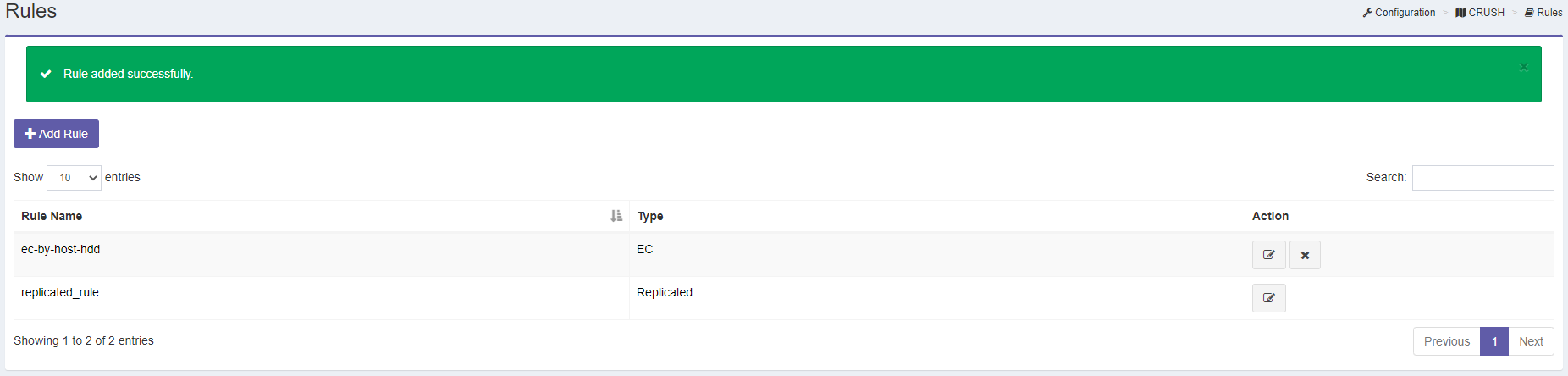
  • The First step is creating a rule for the type of redundancy you want for the pool and the failure domain. In the top left of the screen, click on: wrench icon -->CRUSH -->Rules. For our example we are going to choose our failure domain at the host level, and it will have erasure code redundancy. we want this pool to only utilize the HDD's so our option is ec-by-host-HDD. Press Save when finished.


Verification

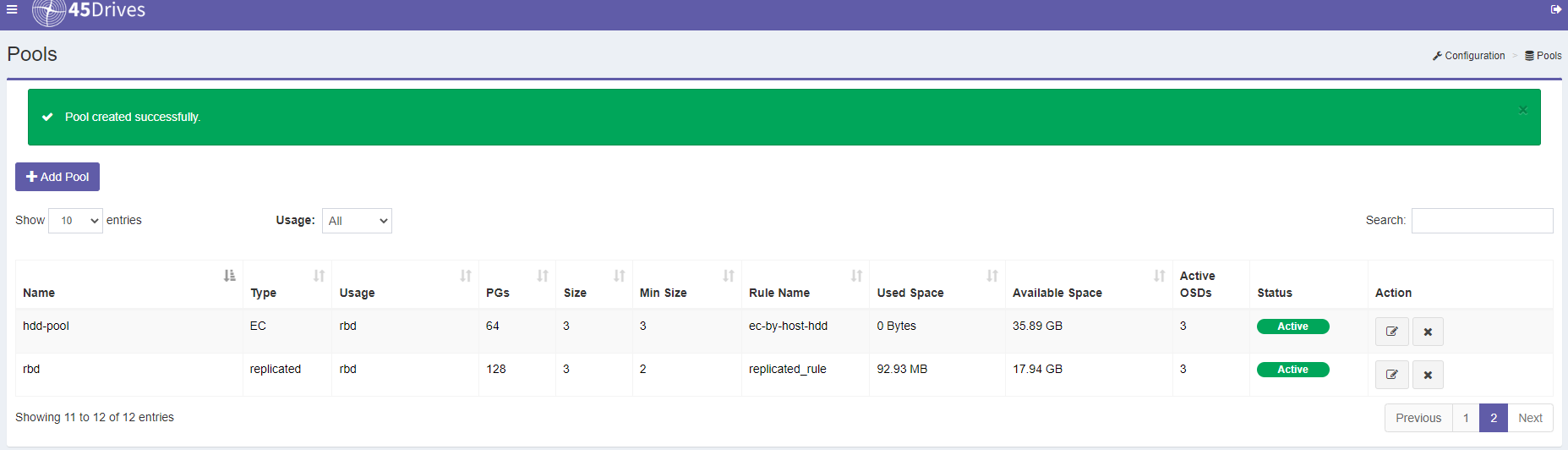
  • If you receive the previous post "Pool created successfully"
  • you can also ssh into a PetaSAN node and run "ceph osd pool stats"

Troubleshooting

  • If you do not see an option for an EC Profile or Rule Name ensure they were saved.